Answer the usual questions in one tap
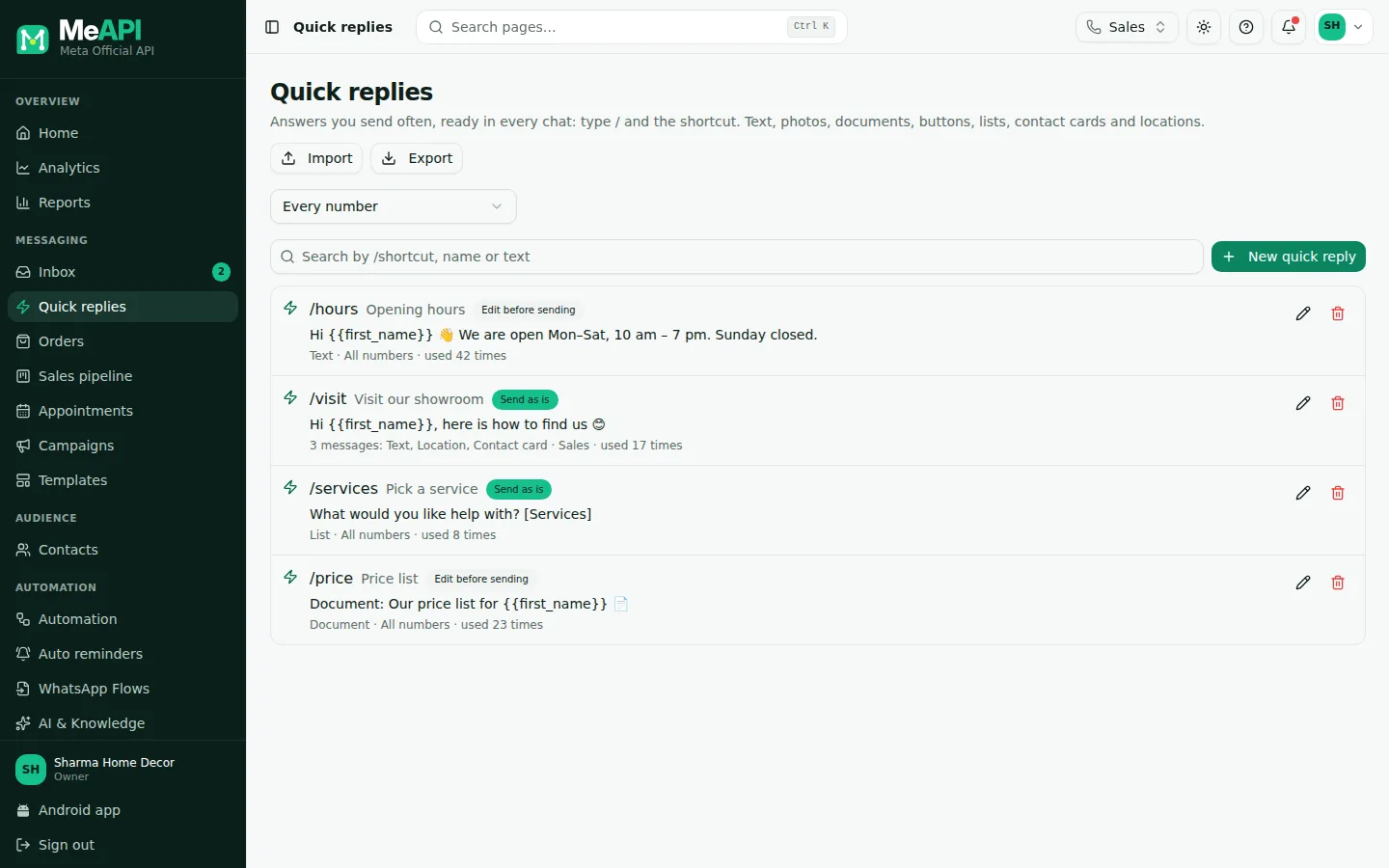
Opening hours, the price list, directions to the shop: every team sends the same answers many times a day. A quick reply keeps each answer ready in every chat. Type / in the message box and the shortcut, or pick it from the ⚡ list.
One quick reply can be several messages in a row: a greeting, a location pin and a contact card, or a document with a caption followed by buttons. {{name}}, {{first_name}}, {{phone}} and {{agent_name}} are filled in for each customer, and WhatsApp’s length limits are checked when you save, so nothing is cut off when it is sent.
How it works
Create it
Quick replies (in the menu, under Messaging) → New quick reply: a name, a /shortcut and up to 5 messages, with a live preview.
Choose how it sends
Send as is for answers that never change, or Edit before sending to adjust the text first. Make it available on every number or only some.
Use it in any chat
Type / and the shortcut. Inside the 24-hour window it sends at once; outside it, send an approved template instead.
What’s included
- Answers you send often, ready in every chat: type / and the shortcut. One quick reply can send up to 5 messages: text, photos, videos, documents, buttons, lists, contact cards and locations, with the customer’s name filled in.
- Send as is, or edit before sending
- For all numbers or only some
- CSV import and export
Businesses use it for
- A showroom sending “how to find us” with a location and a contact card
- A clinic sharing its timings and a booking button
- A shop sending its price list PDF to everyone who asks
Question
Can my team send saved answers with photos or buttons?
Yes. A quick reply has a name and a /shortcut, and holds up to 5 messages: text, an image, video or document with a caption, audio, buttons, a list, a contact card or a location. {{name}}, {{first_name}}, {{phone}} and {{agent_name}} are filled in when it is sent. Choose Send as is or Edit before sending, and which numbers it is for. Inside the 24-hour window only, like any reply.
Related features
Try it on your own WhatsApp number
Every plan includes every feature, with no mark-up on Meta’s message charges. Set up in about ten minutes.