

Connecting your domain to your white-label panel
🎯 Goal
Let your customers open the panel on your own address, like panel.yourbrand.com, with a free SSL certificate.
🧰 What you need
- A white-label partner plan
- A domain you own, and access to change its DNS
Which plans have it
Section titled “Which plans have it”| Plan | Custom domain |
|---|---|
| Paid White-label, 2-Year White-label | Yes |
| Free White-label | Yes, once your first customer account is paid |
| Reseller, Referral partner | No |
Choose an address
Section titled “Choose an address”Use a subdomain: a short word in front of a domain you already own.
panel.yourbrand.comis easy to say. Your website and email onyourbrand.comare not touched.crm.yourbrand.inis the same, on any ending.- Pick the word before you share the address. Moving later means telling every customer.
Connect it
Section titled “Connect it”-
Sign in to your partner panel and create your brand on Panel Branding, with your address.
-
Open Custom domains and find your domain’s card. The card shows the exact record to add. Use the values from your card, not from any example.
-
Find where your domain’s DNS is managed. That is not always the place you bought the domain.
-
Add the record there. In the name box, type only the word in front, like
panel. Never type the whole address. -
Wait. The card moves from Waiting for DNS to Getting SSL to Live by itself.
-
Open your address and sign in to check it.
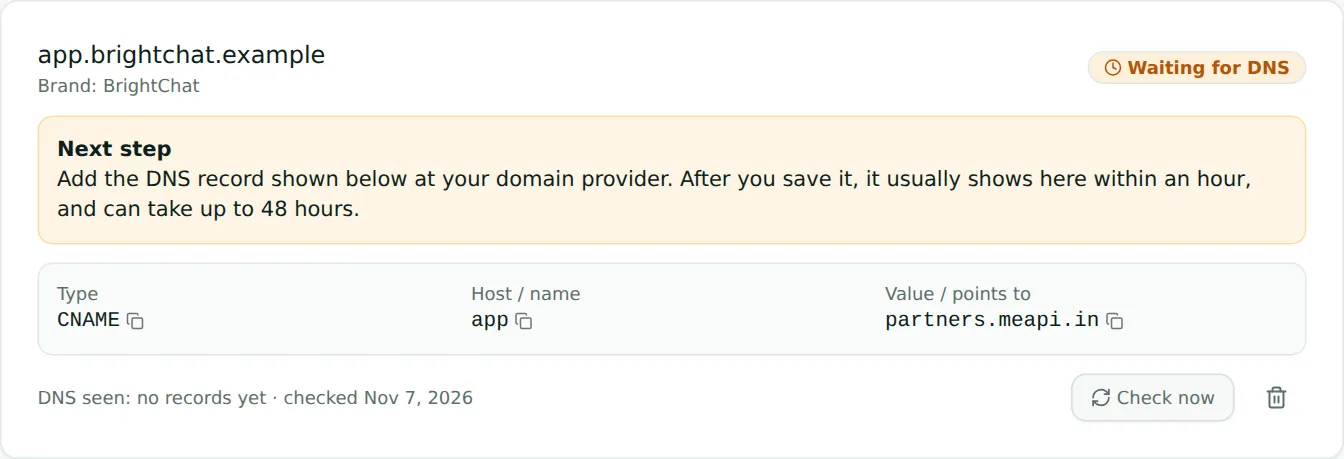
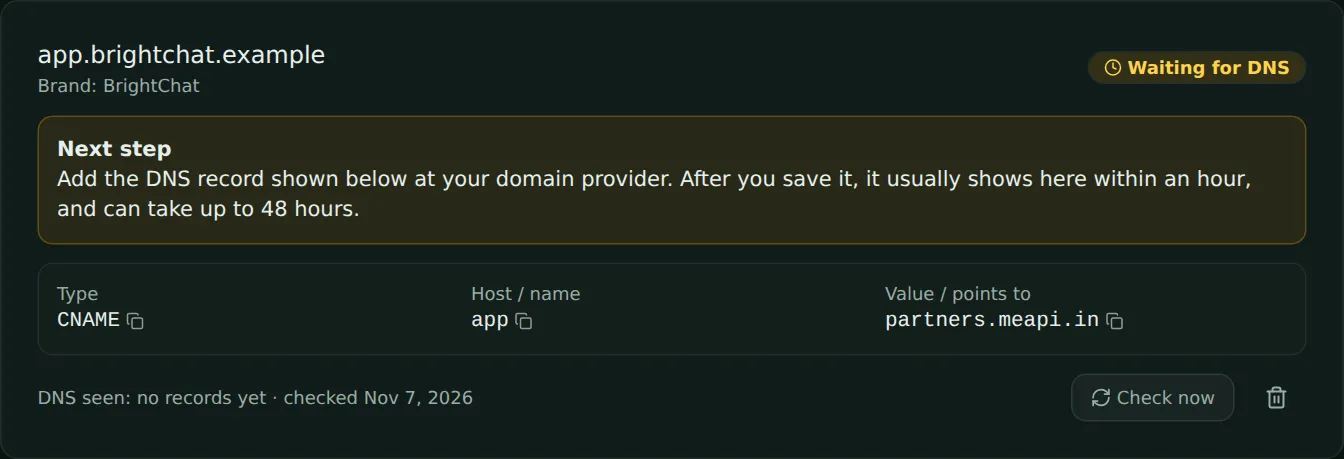
- A domain card waiting for DNS, with the record to add. Sample data: your card shows your own values.
Where to add the record
Section titled “Where to add the record”Provider screens change from time to time. If a label differs a little, look for the closest match.
| Provider | Where to add it | Full steps |
|---|---|---|
| GoDaddy | Domain Portfolio, your domain, DNS tab, Add New Record | GoDaddy |
| Hostinger | Domains, DNS, your domain, Manage DNS records | Hostinger |
| Cloudflare | Your domain, DNS Records, Add record. Set Proxy status to DNS only | Cloudflare |
| Namecheap | Domain List, Manage, Advanced DNS, Add New Record | Namecheap |
| BigRock | Orders, your domain, DNS Records, Add Record | BigRock |
The links open the Partner Guide inside your partner panel. It needs a partner sign-in.
What each status means
Section titled “What each status means”| Badge | What it means | What to do |
|---|---|---|
| Waiting for DNS | We cannot see the right record yet | Add the record, or fix what Next step says. Then wait |
| Getting SSL | The record is right and we are getting the certificate | Nothing |
| Live | Your customers can use the address | Nothing |
| Needs attention | The certificate failed, or the record was still wrong after about a week | Read Next step. We keep trying by ourselves |
| Switched off | Your plan no longer includes a custom domain | Move to a plan that has it. The domain comes back by itself |
| Asleep | Your plan needs a live paid customer and has none, so the address shows a page saying the service is paused | Get one paid customer. The domain wakes by itself |
Your DNS provider decides how fast a new record reaches us. Providers say anywhere from about 30 minutes to 48 hours. We keep checking by ourselves, so a domain goes live without you doing anything more.


- A live domain card, with the date the certificate runs until. Sample data.
After it is live
Section titled “After it is live”Share the address with your customers. Your sign-in page and your sign-up page, at /userlicense-signup, are now on your domain. Emails to your customers link to it too.
The SSL certificate is free and renews itself. Keep your DNS record in place: if it is removed, the certificate cannot renew and the address will end up showing a security warning.
- Your main domain works too, but we do not recommend it. A main domain like
yourbrand.comneeds a different record, and any website there stops opening. A subdomain avoids this. wwwis a separate address. To use it too, add it as its own domain.- You can have up to 5 domains, unless we set a higher limit for you.
Common mistakes
Section titled “Common mistakes”- Typing the whole address in the name box. It creates
panel.yourbrand.com.yourbrand.com. Type onlypanel. - Editing DNS in the wrong place. A domain bought at one company can use another company’s nameservers. Changes at the first company then do nothing.
- A different record already uses that name. Remove or edit it first. A CNAME cannot share a name with another record.
- Pressing Check now again and again. Press it only after you change something. Each press on a failing domain is a new attempt, and the certificate authority limits failed attempts.
On plans with conditions
Section titled “On plans with conditions”On Free White-label and 2-Year White-label, your custom domain sleeps if you have no live paid customer for too long. It then shows a short page saying the service is paused, with your contacts, and takes no new sign-ups. Your customers cannot open the panel until it wakes, but their numbers, chatbots and campaigns keep running. Your next paid customer wakes it at once. See Choosing your partner plan.
In the Partner Guide
Section titled “In the Partner Guide”The full steps are in the Partner Guide inside your partner panel. It needs a partner sign-in.
What’s next
Section titled “What’s next”Was this page helpful?
Thank you — we read every comment.
Could not send right now. Please try again later.
© 2026 MeAPI by TheWebStore028 · RADHAMADHAV WEBSTORE LLP · GSTIN 27ABJFR6148J1ZO · Contact us ·Cookie settings
Registered Office: 19th Floor, A-1903, Exotica Wing A, Casa Rio Main Road, Lotus Pond, Palava City Phase 1, Kalyan, Thane, Maharashtra 421204, India
Operations: Thaltej, Ahmedabad, Gujarat
Phone / WhatsApp: +91 91676 96213 · Email: support@meapi.in ·Terms · Refund & cancellation · Shipping & delivery