

Partner billing: how your yearly bill works
🎯 Goal
Know what MeAPI bills you for, how to pay it, and what happens if you pay late.
🧰 What you need
- A partner plan
- Your payment method: online, UPI, bank transfer or USDT
Three kinds of money
Section titled “Three kinds of money”- Your customers pay you. You set your prices and collect the money. MeAPI never touches it. You invoice your customers yourself, or let the panel make the documents in your name (see Seats and invoices to your customers).
- You pay MeAPI. Your plan fee and your customer accounts, on the Billing page. This article is about this part.
- Your customers pay Meta. Message charges go directly to Meta, from the payment method on their own WhatsApp account. Neither of us collects them.
How your bill works
Section titled “How your bill works”You pay yearly, in advance, and you have one billing date. GST is added on each request and shown separately.
- Your plan fee is charged once a year. 2-Year White-label charges it once for 24 months.
- Each paid, active customer is charged for the year at their plan’s price, less any free accounts.
- Your renewal is billed before the new year starts. When a year’s request is paid, next year’s Renewal request opens straight away, due on your next billing date.
Trials, expired accounts and accounts switched off by MeAPI cost nothing.
If you are on Referral partner, you are not billed at all. Billing reads “No partner fee”. If a sub-admin bills you, you pay them, and they set your fee and decide whether to add GST.
Your first payment
Section titled “Your first payment”- Referral partner and Reseller: nothing to pay at the start.
- Free White-label: your first customer account. See Choosing your partner plan.
- Paid White-label and 2-Year White-label: your first payment request. Billing shows its due date.
When your first payment is approved we tell you that your partner account is active.
Payment requests
Section titled “Payment requests”A payment request is what we call a bill here. Each one shows its title, number, due date, amount with GST, and its lines.
| Title | What it is for |
|---|---|
| Plan | The period running now |
| Renewal | Your next yearly period |
| Customers added | Customers you added or upgraded during a period already paid for |
| Add-on | A one-time white-label add-on. It does not affect your plan or your customers |
An open request is counted again every day and each time you open Billing, so the amount can change until you pay. Once you submit a payment, the request is no longer counted again. Anything new goes on a new request.
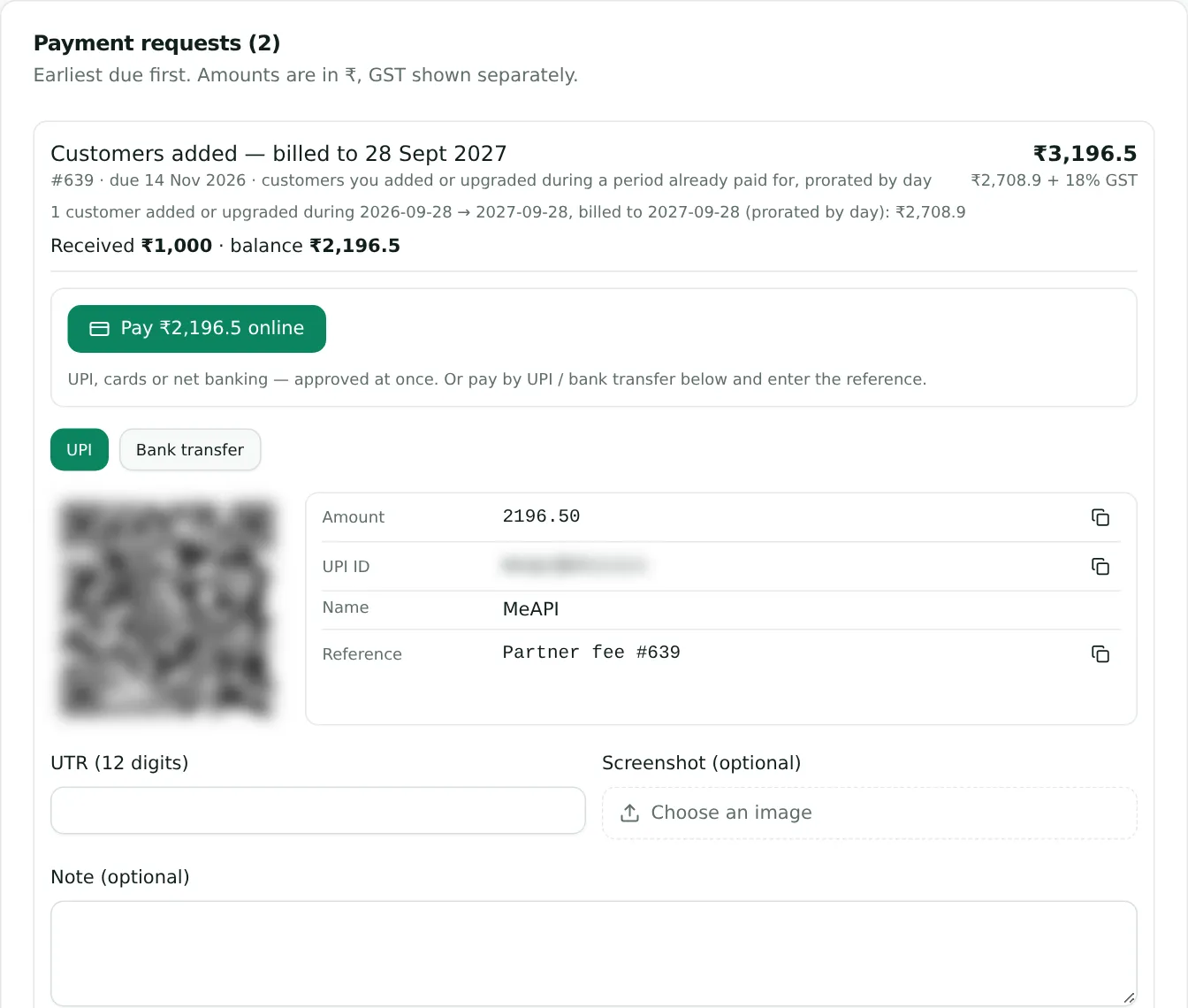
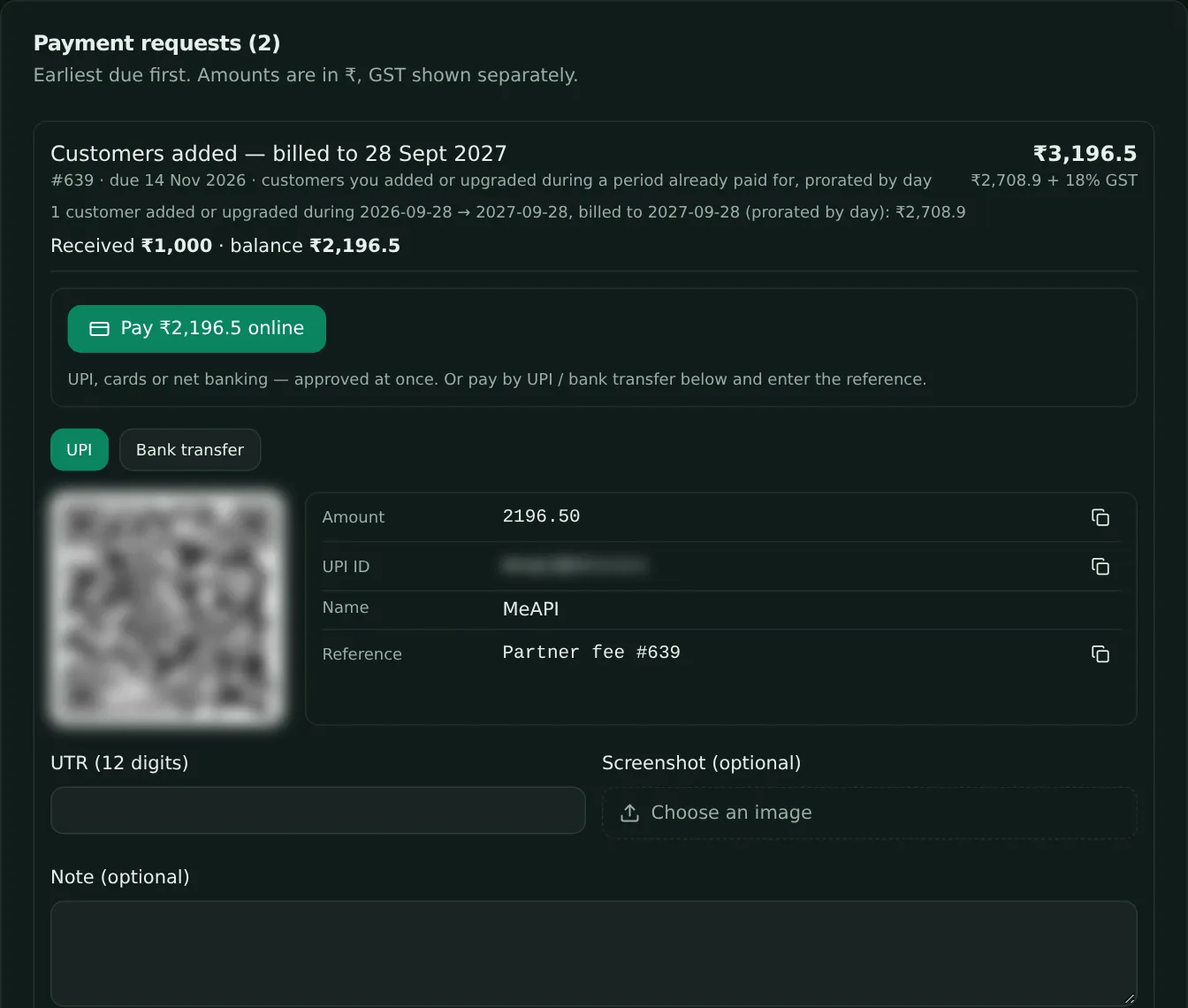
- A payment request with its payment form. Sample data: the amounts and details are only an example.
Customers added during the year
Section titled “Customers added during the year”You do not pay a full year for a new customer once you have already paid for the year. You pay from today to your billing date, prorated by day: whole days, and today counts as a full day, so a customer added on your billing date costs the full yearly price.
For example, if a customer becomes paid halfway through your year, you pay about half of that plan’s yearly price now. At your next renewal that customer is on the request for the full year.
- Moving a customer to a higher plan works the same way: you pay the difference for the rest of the period.
- The request is due in 7 days. We email you when it opens, and your billing date stays the same.
- Only one such request is open at a time. Customers you add before paying it join the same request.
- A customer on a shorter length (monthly, quarterly or half-yearly) costs exactly what MeAPI charges for that length, once per period. The cost is the same on every partner plan, and My prices & payments shows it under each length. You are billed when the first period starts and again at each renewal; with auto-pay the wallet pays it at once. These customers never use a free account or a seat: free accounts are for yearly customers only.
- A move to a lower plan, or an account that stops, is not refunded for the part already billed.
How to pay
Section titled “How to pay”-
Open Billing and find the request under Payment requests.
-
If you see a button that starts with Pay and ends with online, you can pay by UPI, card or net banking. The payment is approved at once.
-
Otherwise pick UPI, Bank transfer or USDT. The page shows the details, with copy buttons.
-
Send the exact amount shown. Use the Reference shown as your payment note.
-
Enter the proof of payment, such as the UTR or transaction hash. You can add a screenshot and a note.
-
Click the button that starts with I’ve paid.
The status changes to Payment under review and you get an email once it is checked. No reminders go out, and your customers are not paused, while a request is under review.
If a payment is not approved, the request goes back to open and we email you the reason. The due date does not move, so fix it quickly.
Pay from your wallet
Section titled “Pay from your wallet”The Wallet in your partner panel is a prepaid balance that pays your requests to MeAPI: your plan fee, customers you add, add-ons and renewals. It is for every partner MeAPI bills directly. A reseller under a sub-admin pays that sub-admin, so it has no wallet.
- Top up online by UPI, card or net banking, in whole hundreds of rupees. GST is charged at top-up: you pay the amount plus GST and get a GST tax invoice by email for “Prepaid credits for MeAPI software services”. Your wallet gets the amount before GST. Ask your CA when to claim the input tax credit.
- Pay a request with Pay … from wallet on Billing. It takes the price before GST, because the GST was paid at top-up, so there is no second GST invoice.
- Auto-pay pays customers you add and add-ons at once, and your plan fee on its due date. A new paid customer is created only when the wallet covers it. If it does not, the customer waits under Waiting for a top-up and is created by itself once you top up, within 7 days.
- Low-balance alert: set Alert me below and you get one email and one WhatsApp message each time the balance drops below it.
- Statement: every credit and debit, with filters and a CSV download.
Wallet credit does not expire unless your Wallet page states a validity period (today: it never expires). If one is ever set, the oldest credit is used first and you are reminded 30 and 7 days before any of it expires. Credit is non-refundable, cannot be withdrawn or cashed out, and cannot be moved to another account. Meta’s message charges are not paid from the wallet; Meta bills those to your own Meta account.
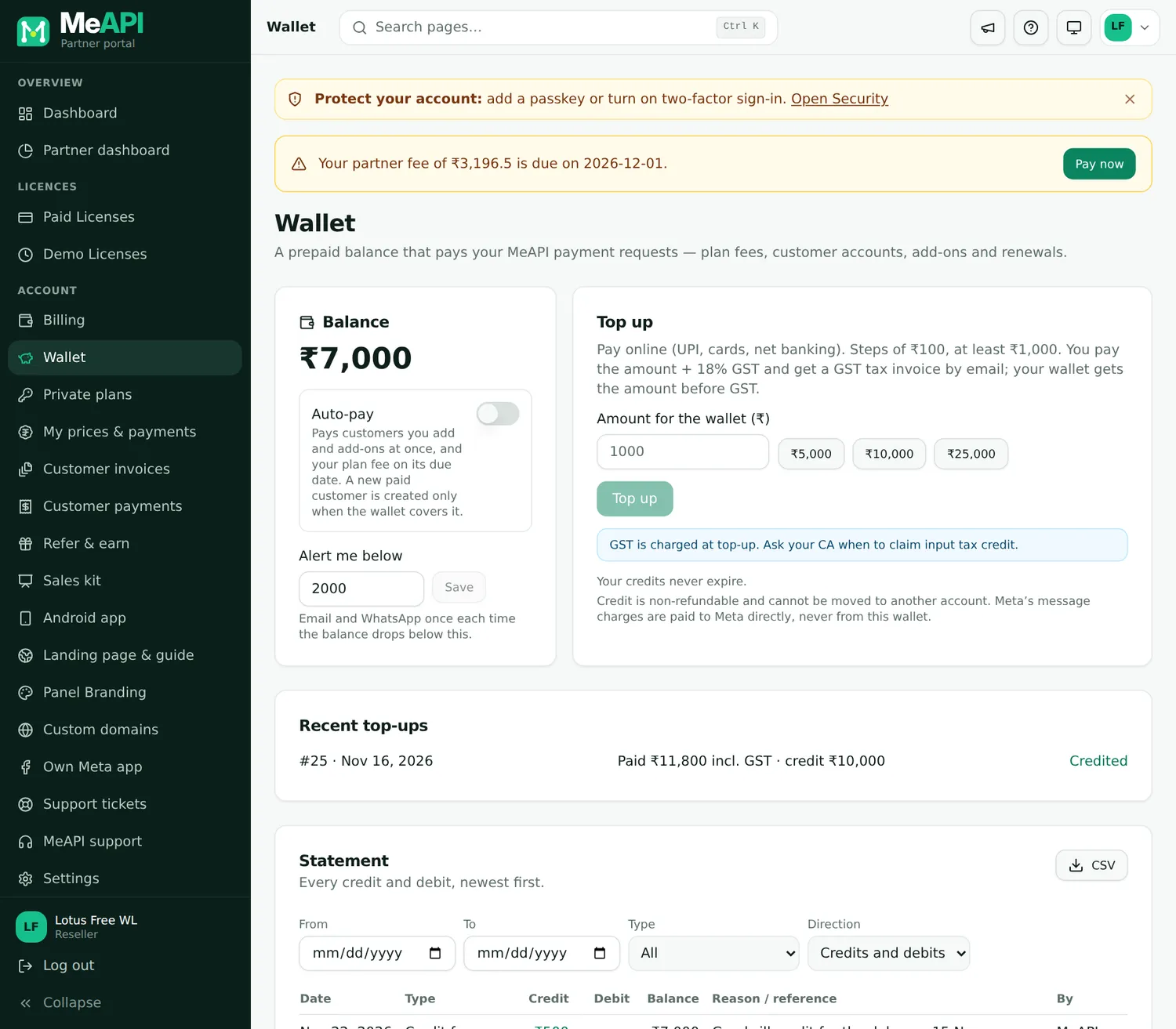
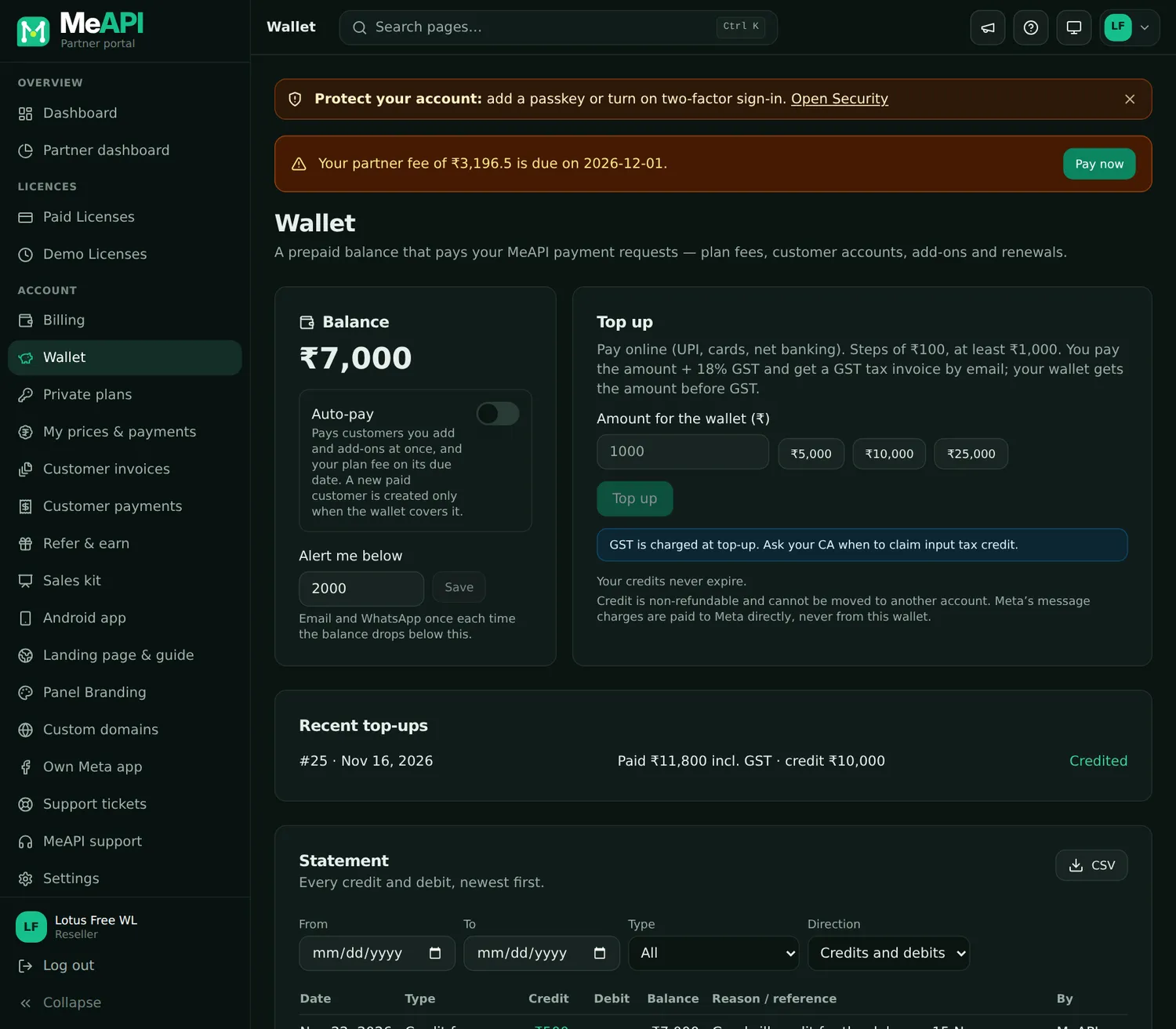
- Balance, the Auto-pay switch and Alert me below.
- Top up: the amount for your wallet; the page shows the GST and what you pay before you pay.
- Recent top-ups: what you paid, what your wallet got, and the tax invoice.
- Statement: every credit and debit, with filters and CSV.
Seats and invoices to your customers
Section titled “Seats and invoices to your customers”Some partner plans bill by seats instead of per customer, and every partner can let the panel make the invoices to its own customers. Both are explained in Seats and invoices to your customers.
If a payment is late
Section titled “If a payment is late”| When | What happens |
|---|---|
| 30 days before | An email about your yearly renewal |
| 7, 3 and 1 days before | An email each time. The status is Due soon and a bar shows on every page |
| Due date passes | Your grace days start. Billing and the red bar show the date your customers will be paused |
| During grace | A daily email, a popup at each sign-in and a red bar |
| The morning after grace ends | Every customer under your account is paused |
| When you pay | Your customers come back as soon as the payment is approved, unless another request is overdue too |
Nothing is deleted at any point. Need more time? Write to MeAPI support before the date.
What your customers see when paused
Section titled “What your customers see when paused”A pause is a stop on sending, not a lock-out.
- They can sign in and read their inbox. A popup on every page says Your service is paused and asks them to contact you.
- It names you, not us, with the contacts you filled in.
- Nothing is sent. Chatbots, campaigns and reminders run again from the moment it is restored.
- They cannot pay it themselves. Only you can restore the service.
Tell your customers before it happens, and keep your support contacts filled in. A paused customer will call you first.
Volume discount
Section titled “Volume discount”It comes off your customer-account lines only, not the plan fee or add-ons. Live paid customers count, including free accounts and prepaid accounts. Trials do not.
Receipts
Section titled “Receipts”Every payment received is listed under Receipts, with its amount, date, method and a PDF. History lists your requests. When MeAPI issues a GST tax invoice for a payment, it comes by email to the address on your account.
Common mistakes
Section titled “Common mistakes”- Paying without the reference. Use the Reference shown, so we can match your payment.
- Adding customers and expecting the old amount. An open request follows your numbers until you submit a payment.
- Forgetting your customers depend on your payment. If you stay unpaid past your grace days, all of them are paused.
In the Partner Guide
Section titled “In the Partner Guide”The full rules are in the Partner Guide inside your partner panel. It needs a partner sign-in.
- The Billing page
- How your bill works
- Customers added during the year
- How to pay
- Your wallet
- Seats
- Invoices to your customers
- Reminders, grace and pause
- Volume discount
What’s next
Section titled “What’s next”Was this page helpful?
Thank you — we read every comment.
Could not send right now. Please try again later.
© 2026 MeAPI by TheWebStore028 · RADHAMADHAV WEBSTORE LLP · GSTIN 27ABJFR6148J1ZO · Contact us ·Cookie settings
Registered Office: 19th Floor, A-1903, Exotica Wing A, Casa Rio Main Road, Lotus Pond, Palava City Phase 1, Kalyan, Thane, Maharashtra 421204, India
Operations: Thaltej, Ahmedabad, Gujarat
Phone / WhatsApp: +91 91676 96213 · Email: support@meapi.in ·Terms · Refund & cancellation · Shipping & delivery